Turning X Threads into Evergreen Blog Posts (My Process)
I posted a thread on X last month about the mistakes I made deploying a Node.js application to DigitalOcean's App Platform. It got about 40,000...
I posted a thread on X last month about the mistakes I made deploying a Node.js application to DigitalOcean's App Platform. It got about 40,000 impressions and a few hundred engagements. Not viral by any means, but solid for a technical thread from a guy with a modest following.
Two weeks later, I turned that thread into a blog post on Grizzly Peak Software. That blog post now gets more organic traffic per day than the thread ever got in total engagement. And it will keep getting traffic for months, maybe years, while the thread is already buried in my timeline where nobody will ever see it again.
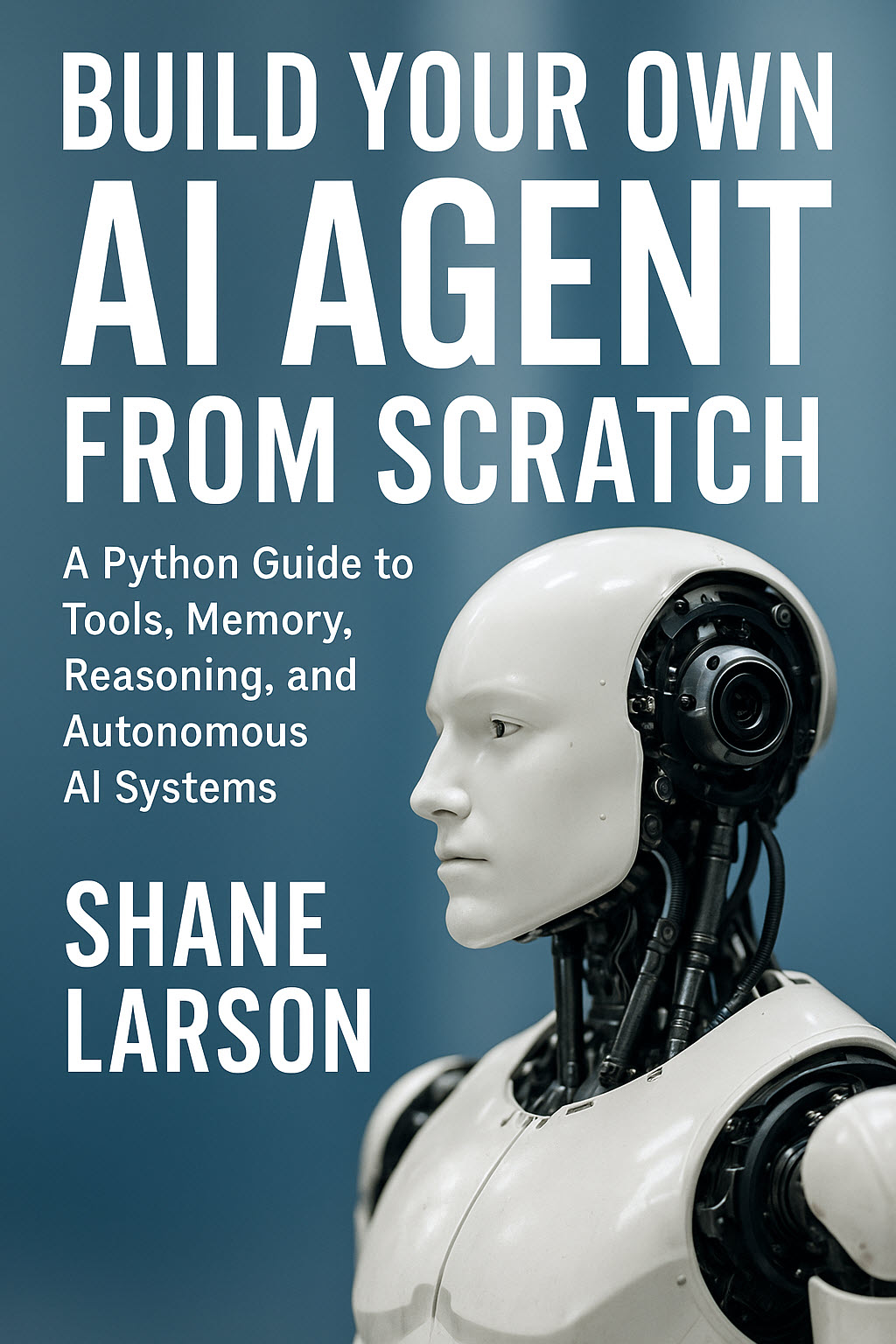
Build Your Own AI Agent From Scratch
Build a complete AI agent from scratch in Python — no frameworks, no hype. 16 chapters covering tools, memory, reasoning, MCP, multi-agent systems & more.
Learn MoreThis is the content leverage play that I think most technical creators are leaving on the table. You're doing the hard work — forming the opinion, thinking through the argument, writing it out — and then you're leaving all that effort on a platform where content has a half-life of about six hours.
Here's the exact process I use to turn X threads into evergreen blog posts.
Why Threads First, Posts Second
A lot of content advice says to write the blog post first and then create social media content to promote it. I've tried it both ways, and I think starting with the thread is better for three reasons.
Threads force brevity. When I write a blog post from scratch, I tend to overwrite. I'll spend 300 words on a preamble before getting to the point. A thread forces me to lead with the most interesting thing I have to say, because if the first tweet is boring, nobody reads the rest. That discipline carries over into the blog post.
Threads provide free feedback. The engagement pattern on a thread tells you which points resonated and which fell flat. If tweet seven in a twelve-tweet thread gets significantly more likes and retweets than the others, that's the section I should expand in the blog post. If nobody engages with tweet four, that point either needs to be reworked or cut. This is free market research that you don't get when you publish a blog post cold.
Threads lower the activation energy. Writing a 3,000-word blog post feels like a project. Writing a thread feels like a conversation. I'll write a thread while drinking coffee in the morning. I won't start a blog post unless I've blocked out an hour. Starting with the format that's easier to produce means I actually produce more content.
The mental model is: threads are drafts. Blog posts are the finished product. The thread tests the idea and provides the skeleton. The blog post adds depth, code examples, and permanence.
The Capture Process
The biggest mistake I made early on was not having a system for capturing threads I wanted to expand. I'd post a thread, think "I should turn that into a blog post someday," and then never do it. Three months later I'd vaguely remember the thread but not be able to find it.
Now I have a simple process:
Step 1: Tag it immediately. As soon as I finish posting a thread that has blog post potential, I bookmark it on X and add it to a plain text file I keep on my machine. Nothing fancy — just the URL and a one-line description.
thread-ideas.txt
---
2026-02-14 | https://x.com/grabordev/status/... | App Platform deployment mistakes
2026-02-21 | https://x.com/grabordev/status/... | Why I stopped using ORMs
2026-03-01 | https://x.com/grabordev/status/... | Rate limiting approaches compared
Step 2: Wait 48 hours. I don't convert the thread immediately. I let the engagement settle so I can see the full picture of what resonated. I also let my own thinking settle. Sometimes a thread that felt brilliant at 7 AM feels mediocre by the next day. That's useful information.
Step 3: Check the numbers. After 48 hours, I look at the thread analytics. The metrics I care about:
- Impressions per tweet — Did people read the whole thread or drop off?
- Engagement rate on individual tweets — Which points hit hardest?
- Replies and quote tweets — What did people add, disagree with, or ask about?
- Profile clicks — Did the thread make people curious about me?
If a thread got decent engagement and I still think the topic is strong, it goes on the conversion list. If it flopped or I've lost interest, I let it go.
The Conversion Process
Here's where threads become blog posts. This is the actual workflow I follow.
Extract the Skeleton
I copy the full thread text into a new markdown file. Then I read through it and identify the main points. Each tweet or group of tweets usually maps to one section of the blog post.
A typical twelve-tweet thread maps like this:
- Tweet 1 (hook) → Blog post opening paragraph
- Tweets 2-3 (context/setup) → First section with background
- Tweets 4-6 (main argument) → Core section, heavily expanded
- Tweets 7-9 (supporting evidence) → Second major section with code examples
- Tweets 10-11 (nuance/caveats) → "But here's the thing" section
- Tweet 12 (conclusion/CTA) → Closing section
The thread gives me the structure. I don't have to stare at a blank page trying to figure out what to say and in what order. That organizational work is already done.
Expand Where It Matters
The thread is typically 2,000-2,500 characters total. The blog post needs to be 2,000-4,000 words. So every point needs significant expansion. But not equal expansion.
The points that got the most engagement deserve the most depth. If tweet seven about a specific debugging approach got three times the engagement of tweet four about general architecture, I'll write 400 words expanding on the debugging approach and keep the architecture point to a tight paragraph.
This is where I add the things that don't work in thread format:
Code examples. Threads are terrible for code. You can include screenshots, but they're not searchable, not copy-pasteable, and they look bad on mobile. The blog post is where the code gets proper formatting and explanation.
// This kind of thing doesn't work in a tweet
var express = require('express');
var rateLimit = require('express-rate-limit');

var apiLimiter = rateLimit({
  windowMs: 15 * 60 * 1000,
  max: 100,
  standardHeaders: true,
  legacyHeaders: false,
  message: {
    error: 'Too many requests, please try again later.'
  },
  skip: function(req) {
    // Exempt admin paths from rate limiting
    if (req.path.startsWith('/admin')) {
      return true;
    }
    return false;
  }
});

app.use('/api/', apiLimiter);
In the thread, I might say "I skip rate limiting for admin paths." In the blog post, I show the actual implementation with the skip function, explain why I made that choice, and discuss what happens when you get it wrong.
Context and backstory. Threads assume the reader has some context. Blog posts need to be more self-contained because they'll be found by search engines months later by people who have no idea who you are.
Nuance. Threads reward bold, slightly provocative statements. Blog posts let you add the "well, actually, it depends" qualifications that make your advice more accurate. Both formats are useful, but for different reasons.
Add What the Replies Taught You
This is the step most people skip, and it's one of the most valuable.
When a thread gets decent engagement, the replies contain gold. People share their own experiences, point out edge cases you missed, disagree with specific points, and ask clarifying questions. All of this is material for the blog post.
I don't just incorporate the feedback silently. I'll write something like: "Several people pointed out that this approach doesn't work well with WebSocket connections, and they're right. Here's why…" This does two things: it makes the blog post more comprehensive than the thread, and it signals to readers that this content has been tested against real-world feedback.
Sometimes the best section of the blog post comes from a reply that challenged my original point. I had a thread about database choice where someone in the replies made a case for SQLite that was genuinely better than my original argument. That reply became a full section of the blog post. The blog post was better for it.
Write the Opening Fresh
The one part of the thread I don't reuse is the opening. Thread hooks are optimized for stopping the scroll on X — they tend to be punchy, slightly provocative, and very short. Blog post openings need to do different work: they need to establish context, set expectations, and make the reader feel like they're about to learn something worth the time investment.
I usually write three or four opening paragraphs for the blog post, trying different angles, and pick the one that feels most natural. The thread hook might become a pull quote or a subheading, but it rarely works as the blog post's first paragraph.
The SEO Layer
Once the blog post is drafted, I add the SEO elements that threads don't have and don't need.
A descriptive title. Thread titles don't matter because people find threads through their timeline, not search. Blog post titles need to include the terms people actually search for. "My App Platform Deployment Mistakes" becomes "Node.js Deployment on DigitalOcean App Platform: Lessons from Production."
Internal links. I link to other articles on Grizzly Peak Software wherever relevant. This keeps readers on the site and helps with overall site authority. Threads can't do this without looking spammy.
Structured data. Every article gets JSON-LD markup with author information, publish date, and article metadata. This helps search engines understand and display the content properly.
var defined = function(value) {
  return value !== null && value !== undefined && value !== '';
};

function buildArticleMeta(article) {
  var meta = {
    title: article.title,
    description: article.synopsis,
    canonical: 'https://grizzlypeaksoftware.com/articles/p/' + article.slug
  };

  if (defined(article.blogImage)) {
    meta.image = article.blogImage;
  }

  return meta;
}
A proper meta description. The synopsis that appears in search results. Threads don't have this. Blog posts need it. I write it after the post is finished because by then I know exactly what the article covers.
The Cross-Promotion Loop
Here's where it gets interesting. The thread promotes the blog post, and the blog post promotes future threads. It's a flywheel.
When the blog post goes live, I do three things:
Post the link on X with a summary. Not the full thread again — a shorter post that references the original thread and says "I expanded this into a full article with code examples." People who engaged with the thread are primed to click through.
Add the link to my newsletter. Subscribers who missed the thread get the polished version. Subscribers who saw the thread get the expanded version. Either way, they're getting value.
Reference it in future threads. When I post a new thread on a related topic, I'll drop the blog post link as a reply. "I wrote more about this here: [link]." This drives long-tail traffic to the post from threads posted weeks or months later.
The flywheel works because each format feeds the other. Threads provide reach and audience building. Blog posts provide depth and search visibility. The thread audience becomes blog readers. The blog readers follow you on X. Both grow together.
What Doesn't Work
Let me be honest about the things I've tried that didn't work well.
Converting every thread. Not every thread deserves to be a blog post. Quick takes, one-off observations, and hot takes that are tied to a specific news cycle don't have enough substance to expand. I convert maybe one in five threads. The rest stay as threads and that's fine.
Reposting the thread text as a blog post. If you just copy-paste your thread into a blog post without significant expansion, readers who saw the thread feel cheated and new readers get a thin article. The expansion is the whole point. If you're not adding at least 50% new material, don't bother.
Waiting too long. I tried batching conversions, planning to convert five threads at the end of the month. By the time I got to them, I'd lost the energy and context. The best conversions happen within a week of the original thread while the ideas are still fresh.
Over-optimizing the thread for conversion. I tried writing threads specifically designed to become blog posts — longer tweets, more structured arguments, pre-planned code examples. They performed worse as threads because they felt like blog posts chopped into tweets. The best threads are authentic threads. The conversion process is separate.
The Numbers
Here's what this process has produced for me over the last six months:
I've converted about 25 threads into blog posts. Of those, 18 rank on the first page of Google for at least one relevant keyword. The average blog post from a converted thread gets about 40% more organic traffic than a blog post I write from scratch. My theory is that the thread-first process produces better content because the ideas have been pressure-tested through public feedback before becoming articles.
Total time per conversion: about 90 minutes. That includes extracting the thread, expanding it, adding code examples, SEO optimization, and formatting. Compare that to 2-3 hours for a blog post from scratch. The thread does half the work for you.
The real win isn't any individual post. It's the compound effect of consistently turning ephemeral social media content into permanent, searchable, revenue-generating assets. Every thread I convert is an article that can rank in search results, attract email subscribers, and earn affiliate revenue for years. The thread would have been forgotten in a week.
Stop leaving your best ideas on the timeline. Turn them into something that lasts.
Shane Larson is a software engineer and the founder of Grizzly Peak Software. He writes about API development, AI applications, and the business of software from his cabin in Caswell Lakes, Alaska. His book on training LLMs with Python and PyTorch is available on Amazon.